How Dayu Electronics Ultrasonic Doppler Flow Meters Display Water Temperature
Dayu Electronics ultrasonic Doppler flow meters can display water temperature. The device has a built-in temperature sensor that simultaneously measures water level, temperature, and flow velocity, with two reading methods: local display on the host unit and viewing via PC software.
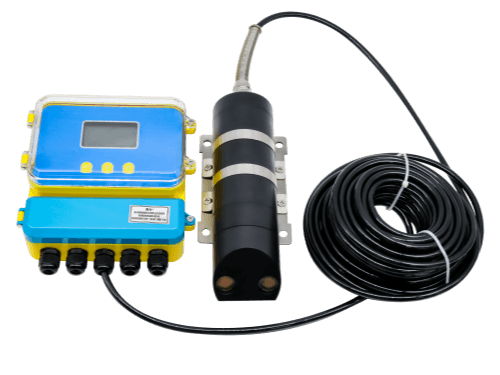
Host LCD Screen Directly Displays Water Temperature
When paired with the host unit, the water level, temperature, and flow velocity data collected by the ultrasonic Doppler flow meter can be viewed directly on the host LCD screen. During on-site inspection or commissioning, current water temperature and flow conditions can be quickly checked without connecting a computer.
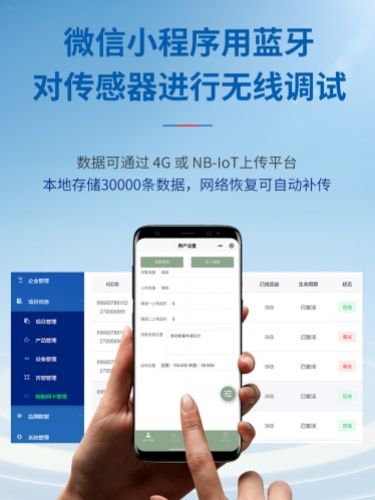
PC Software for Real-Time Water Temperature Monitoring
Connect the device to a computer via an RS485-to-USB cable and install Dayu Electronics' companion PC software to read water level, temperature, and flow velocity data in real time. The software also typically supports parameter configuration, data logging, and historical curve viewing, making it convenient for R&D testing and long-term monitoring.
Water Temperature Data for Sound Velocity Compensation
The speed of ultrasonic waves in water varies with temperature. The built-in temperature sensor compensates for sound velocity when calculating flow velocity, thereby improving measurement accuracy.
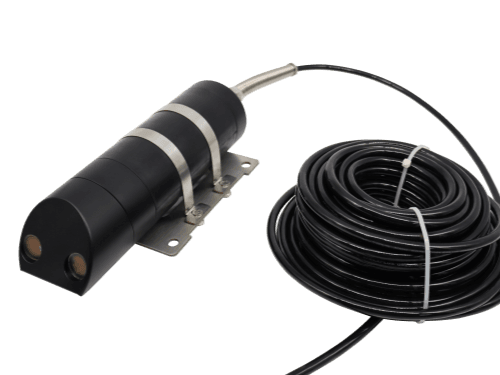
Confirm Data Output Method for Your Specific Model
Different models of ultrasonic Doppler flow meters may vary in display methods, communication protocols, and data output interfaces. We recommend providing your specific model and application scenario so that the Dayu Electronics technical team can help confirm the water temperature display method and PC software configuration.