
Sensor Distance Reading Fluctuation? Analysis of Possible Causes and Solutions [Dayu Electronics]
M36 underwater distance measuring sensor experienced fluctuating readings during testing. Based on the information and photos provided by the customer, a preliminary analysis of possible causes and corresponding recommendations is as follows:
Test environment too small: The customer tested the sensor in a very small bucket, which may place the sensor within its measurement blind zone. Sensors typically have a minimum measurement distance; if the test target is too close to the sensor, it may enter this blind zone, leading to inaccurate or fluctuating readings.
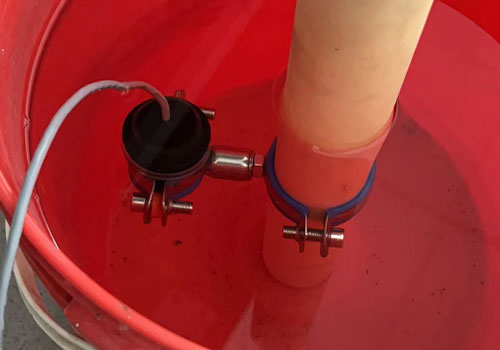
Reflection surface issue: The walls of the bucket may act as reflective surfaces, interfering with the sensor's ranging signal. This interference may be more pronounced when the water surface is turbulent or when the angle between the sensor and the target is not optimal.
Multipath effect: In small spaces, the sensor's transmitted signal may undergo multiple reflections before being received, resulting in inaccurate measurements. This multipath effect is particularly common in enclosed or highly reflective environments.
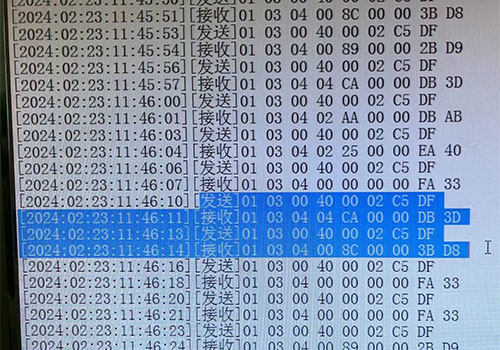
Environmental noise: The test environment may contain other electromagnetic interference or mechanical vibrations, which can affect the sensor's normal operation and cause reading fluctuations.
To address the above issues, the following measures are recommended:
Change the test environment: Move the sensor to a larger pool or open water area for testing, ensuring the measurement distance exceeds the sensor's minimum range and avoiding the blind zone.
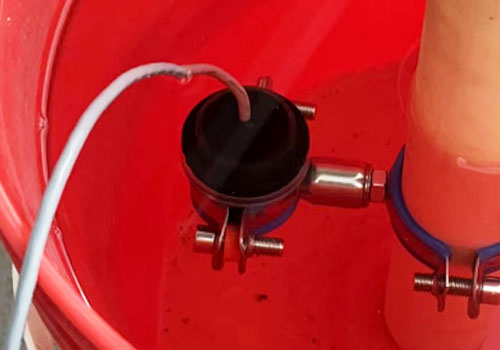
Optimize installation position: Adjust the sensor's mounting angle and position to avoid directly facing reflective surfaces, thereby reducing reflection interference.
Use absorbing materials: Employ wave-absorbing materials in the test environment to reduce signal reflection and scattering, improving measurement accuracy.
Perform calibration and adjustment: After changing the test environment, recalibrate the sensor to ensure optimal performance.
Pay attention to environmental noise: During testing, keep the environment as quiet as possible to minimize external interference affecting the sensor.
If the customer still encounters issues after taking the above measures, it is recommended to contact the sensor manufacturer's technical support team for more professional guidance and solutions. Additionally, the manufacturer can use customer feedback to optimize and improve the product, enhancing its adaptability and stability in various environments.