
Dayu Electronics: How to Connect a Hydrophone to a Computer for Data Acquisition – Step-by-Step Guide
As the core sensor for underwater acoustic monitoring, the standardization of hydrophone data acquisition directly affects the accuracy of monitoring results. Regarding the frequently asked question of "how to acquire data when the hydrophone is equipped with a sound card," we have summarized the following key points based on product features and actual operating procedures to help users complete data acquisition efficiently.
In fact, the operation is not complicated, but because different frequency ranges of hydrophones have different supporting solutions, users can easily get confused. Today, we will clarify this matter once and for all so that you can get started quickly.
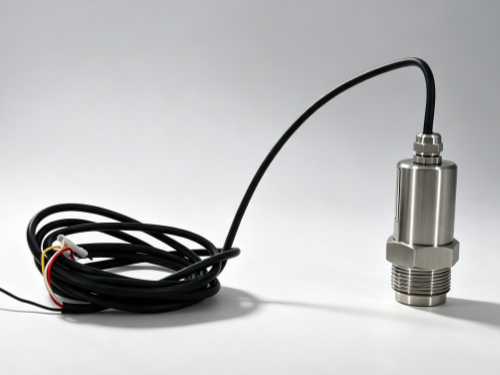
If you are using a hydrophone with a frequency range of 20Hz–20000Hz (also known as the audio frequency band), we provide a complete set of hardware and software support.
You do not need to configure general-purpose recording software yourself; simply follow these three steps:
1. Connect the hydrophone to our matching "Hydrophone Acquisition Card";
2. Plug the acquisition card into a USB port on your computer;
3. Install the dedicated "Hydrophone Software" we provide.
Once the software is opened, you will be able to see real-time data from the hydrophone, including the sound wave waveform, amplitude, frequency, and sound pressure level. The interface is intuitive, and the data is clear at a glance.
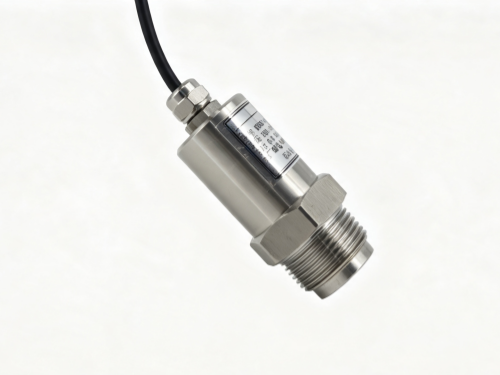
Here is a very important note that you should pay close attention to: This software is bound to the hardware of the computer on which you install it. In other words, if you install it on computer A, the software will recognize computer A. Once installed and activated, it cannot be transferred to computer B. Therefore, before installation, please make sure that you will use this computer for data acquisition in the future, to avoid repeated installation leading to software lockout.
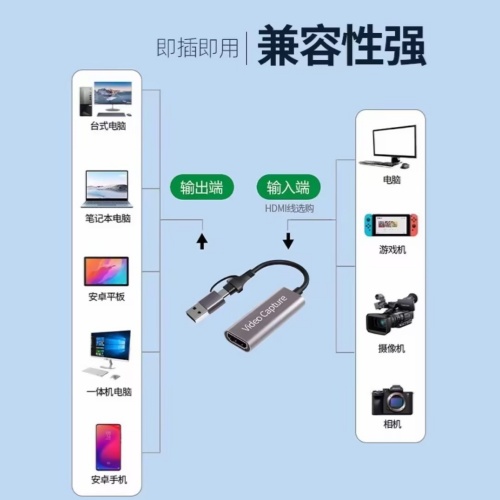
For hydrophones in the 5KHz–100KHz frequency range, a dedicated computer software is currently not yet available. Data acquisition must be performed through the matching acquisition card. These high-frequency hydrophones have higher requirements for the compatibility and stability of the acquisition equipment. Users must strictly follow the product manual to connect the acquisition card to the computer, ensure smooth signal transmission, and avoid data distortion or loss caused by improper connection.
To summarize briefly: For 20Hz-20KHz, use our card and software, and confirm the computer before installation; for 5K-100KHz, data acquisition is mainly done through the acquisition card.
If you encounter wiring or installation issues during operation, or are unsure which category your hydrophone belongs to, feel free to contact Dayu Electronics' technical support team. We will do our best to help you resolve the issue.