
From Numbers to Distance: Correctly Interpreting the Data Display of the M80 Underwater Sensor Test Software
When using the companion test software for the M80 underwater obstacle avoidance sensor, users often focus on a basic but critical question: is the distance value displayed on the software interface in millimeters (mm) or centimeters (cm)? The answer is clear: this is a universal software designed to accommodate sensors with different measurement ranges, and its display unit automatically adapts based on the range of the connected sensor—no manual switching is required. The key is to understand the actual scale represented by the value.
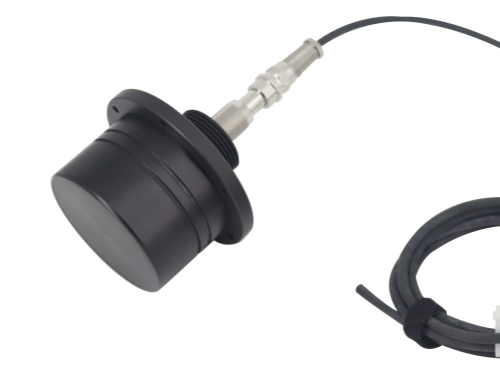
Why adopt adaptive unit display? This design stems from a deep consideration of user convenience and data readability. The measurement distance range in underwater obstacle avoidance scenarios is very wide—from close-range fine obstacle avoidance (within tens of centimeters) to long-range detection of objects ahead (tens of meters up to a hundred meters). If millimeters (mm) were used uniformly, a 100-meter measurement would display as "100000mm," such a lengthy number being inconvenient for quick reading and judgment. Conversely, if centimeters (cm) or meters (m) were used throughout, fine data resolution would be lost in close-range high-precision applications.
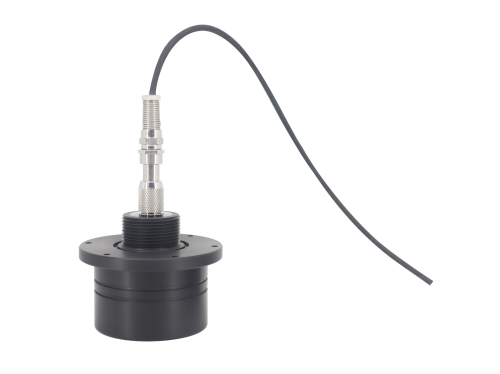
Therefore, the software incorporates intelligent display logic: when handling large-range measurement tasks (for example, when connected to a sensor with a maximum range of 100 meters), the software typically displays results in centimeters (cm) or meters (m) automatically, making the values concise and intuitive. A display of "1500" likely indicates 1500 centimeters, i.e., 15 meters. When performing small-range, high-precision measurements, the software automatically switches to millimeters (mm) to provide finer data readings.
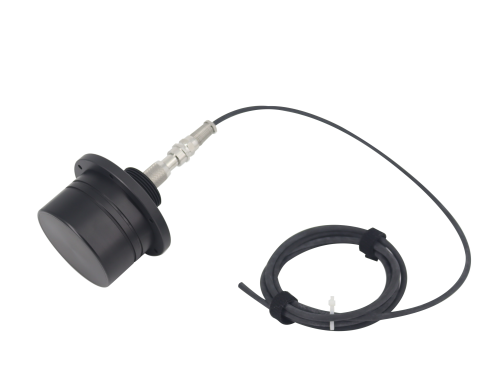
Before use, customers need to confirm the nominal range of their M80 sensor. In large-range mode, the value typically corresponds to centimeters; in small-range high-precision mode, it corresponds to millimeters. The core function of the software is to transmit distance information from the sensor in real time and stably. Users should primarily focus on the relative changes and trends of the values, and determine the approximate unit based on the installed sensor model. If in doubt, a simple verification can be performed at a known distance (for example, measuring the bottom of a clear, still pool at a known depth) to quickly establish the correspondence between the displayed value and the actual distance.
Accurately understanding the data display logic of the test software is the foundation for efficiently using the M80 series sensors in underwater operations, debugging, and fault diagnosis. Dayu Electronics is committed to providing not only reliable hardware but also a clear, user-friendly software interaction experience, ensuring that every piece of data from the sensor to the user's hands is accurate, readable, and valuable.